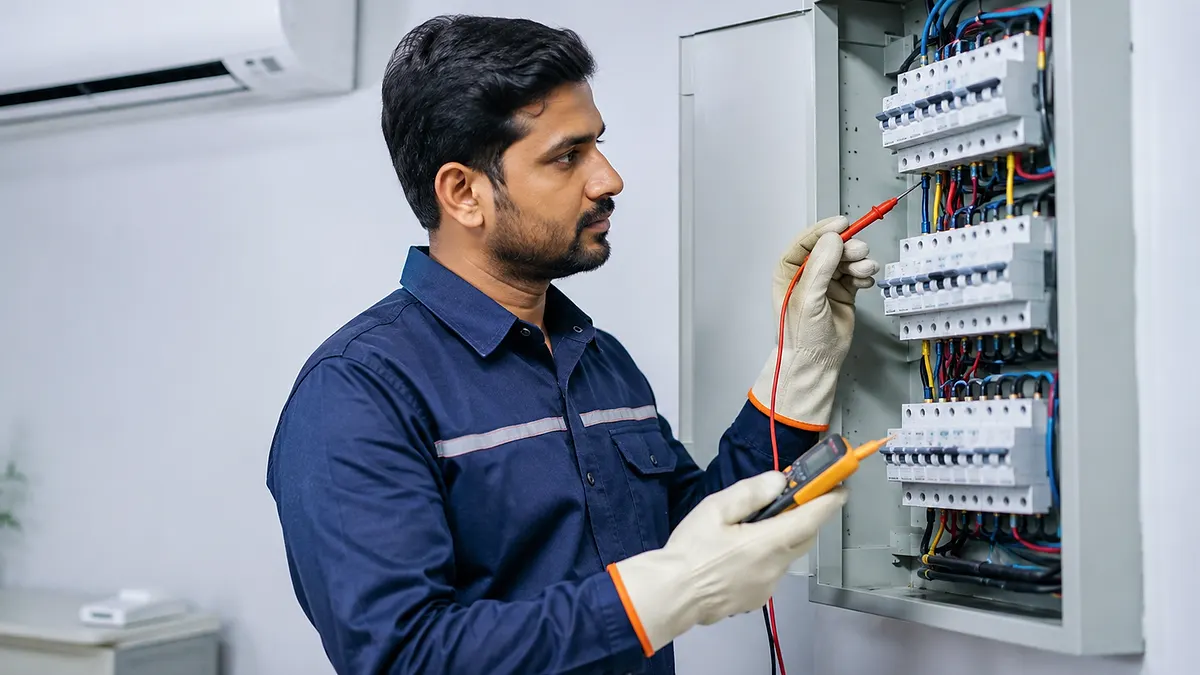
Does your inverter AC actually need a stabilizer?
An inverter AC does not automatically need or automatically avoid an external stabilizer. Compare the exact model's permitted input-voltage range with measured supply conditions, manufacturer instructions, earthing, surge exposure and protective-device requirements. Use only correctly rated equipment installed by a qualified electrician or technician.
The model manual and measured supply decide the answer
Many inverter ACs advertise wide-voltage operation or built-in protection, but the supported range and protection behaviour differ by model. Built-in control does not replace correct wiring, earthing, circuit protection or site-specific electrical assessment.
Do not choose a stabilizer only by AC tonnage or a generic online chart. The device must support the model's input current, starting and operating behaviour, voltage range, delay requirements and installation instructions. An undersized or incompatible device can create its own voltage drop, heat or nuisance shutdown.
Pondicherry installations can face supply interruptions, generator changeover, lightning-season surges, coastal connector corrosion and long summer operating hours. These risks should be evaluated at the property rather than answered from the inverter label alone.
Three checks before buying voltage protection
These checks separate a genuine protection requirement from unnecessary accessory selling.
Manufacturer voltage range
Read the nameplate and installation manual for permitted supply, built-in protection and any external stabilizer recommendation.
Measured site conditions
Have a qualified person assess low voltage, high voltage, fluctuation, neutral condition, earthing and generator or inverter changeover where applicable.
Correct protective device
If required, choose an appropriately rated stabilizer or surge-protection arrangement with suitable isolation, delay and installation quality.
Electrical details that matter more than marketing labels
Dedicated circuit
Confirm conductor size, isolator, breaker and termination quality are suitable for the equipment and local requirements.
Effective earthing
Verify the protective earth path rather than assuming a three-pin outlet guarantees safe earthing.
Voltage observations
Record whether trouble occurs at peak load, after power restoration, during generator use or only at one socket.
Model-compatible protection
Match the selected protective equipment to the AC manufacturer documentation and measured site risk.
A stabilizer, breaker, earthing and surge protection do different jobs
A stabilizer aims to regulate voltage within its design range. A breaker protects against specified overcurrent or fault conditions. Earthing provides a protective path, while surge-protection devices are designed for transient overvoltage when correctly selected and coordinated.
No single accessory corrects poor wiring, a loose neutral, undersized cable, corroded terminals or an unsuitable generator supply. The complete circuit should be assessed when the AC displays repeated voltage errors or PCB failures.
| Protection element | Primary role | What it does not replace |
|---|---|---|
| Voltage stabilizer | Regulates sustained voltage variation | Earthing and correct circuit design |
| Circuit breaker | Overcurrent and fault protection | Voltage regulation |
| Protective earthing | Fault-current safety path | Surge or low-voltage control |
| Surge protection | Limits suitable transient events | Repair of poor supply or wiring |
Electrical installation and testing should be completed by competent personnel using the applicable manufacturer instructions and local safety requirements.
Warning signs that need more than a stabilizer purchase
Repeated breaker trips, burning smell, hot plugs, discoloured terminals, buzzing, visible sparking or errors during power restoration require isolation and inspection. Installing a larger stabilizer without correcting the circuit can hide symptoms while leaving the actual hazard.
If only the AC is affected, inspect its supply and installation. If lights and multiple appliances fluctuate, the property supply or neutral condition may need broader electrical attention.
- Do not repeatedly reset a tripping breaker.
- Do not use loose extension boards for AC supply.
- Keep outdoor terminals protected from moisture and corrosion.
- Record error codes before switching off safely.
How to decide on a stabilizer safely
- 1
Identify the exact model
Record the model number, capacity and electrical nameplate information.
- 2
Read manufacturer guidance
Check the supported voltage range and external-protection instructions.
- 3
Assess the property supply
Measure relevant conditions and inspect the circuit, earthing and changeover arrangement.
- 4
Select compatible protection
Choose rating and features from evidence, not tonnage alone.
- 5
Test after installation
Confirm stable operation, safe termination and no abnormal heating or voltage error.
Details to share with the installer
Provide the AC model, nameplate photograph, property supply type, generator or inverter use, previous PCB or voltage errors and when the problem occurs. This allows the technician to prepare the correct assessment equipment.
Ask whether the quotation includes the protective device, dedicated wiring, isolator, breaker, earthing checks, installation and post-installation testing.
Ask what is included, what is excluded, which findings support additional work and how the final result will be tested.
Common mistakes to avoid
- Assuming every inverter AC has identical voltage protection.
- Selecting stabilizer capacity from tonnage alone.
- Using a stabilizer to avoid repairing unsafe wiring or earthing.
- Approving work without asking how the final result will be tested and recorded.
Frequently asked questions
Does every inverter AC need a stabilizer?
No. The answer depends on the exact model's supported voltage range, manufacturer instructions and measured conditions at the property. Built-in protection also differs between models.
Is built-in stabilizer-free operation enough for every voltage problem?
Not necessarily. A wide operating range does not replace correct wiring, earthing, circuit protection or assessment of surges, loose neutrals and generator changeover.
How do I choose stabilizer capacity for an inverter AC?
Use the model's electrical specifications and the protective-device manufacturer's selection guidance. Do not rely only on the AC tonnage because current and control behaviour vary.
Can low voltage damage an inverter AC PCB?
Abnormal supply conditions can cause errors, shutdown or stress depending on the model and event. Repeated trouble should be diagnosed at the supply and equipment rather than solved by repeated restarting.
Who should install an AC stabilizer?
A competent electrician or trained AC installer should confirm rating, wiring, isolation, earthing, ventilation and post-installation operation according to applicable instructions.
Talk to Turbo Cooling Solutions
Share your location, AC type and requirement for a clear service response.